Related Articles

Back to Latest Articles
ADAM 5510E TCP

ADAM 5510E TCP

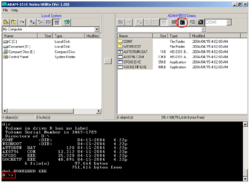
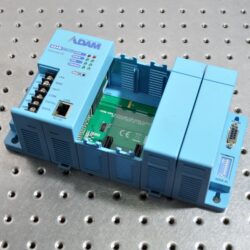
I got some days ago the new ADAM 5510E TCP. It is nicer than ADAM 5000TCP that we showed in August. We will not show photos of it this time because it looks the same as its brother ADAM 5000TCP. What makes the new ADAM better?  Mainly that we can get inside to program it with C. What is it inside? How to get inside? Through the RS-232 port for programming like this screenshot: What software is included with it? What can I do with it?: You can program yourself in […]

Likindoy’s name

Likindoy’s name

Finally, we got the name we were looking for in our program, and the “Chicken Man” legend was finished. Our old programs, Grafista and iScada, definitely changed the name to “Likindoy“. “Al likindoy” means watching something, taking care of something, and having a look. “Al likindoy” means to be in that status (being watching something). For example, you leave your car in a parking lot, and […]

Vim with steroids: code faster and better!

Vim with steroids: code faster and better!


Juanmi Taboada
Juanmi Taboada
Vim with steroids: code faster and better!

Yes, I am a developer who writes its stuff with “vim”. What’s up?

Several times I have discussed if Vim is or is not an IDE. Many people don’t understand why we love it so much vim, and they even think Vim is just a text editor. Despite what they think, I can prove Vim is more than an IDE (vimdiff, vimperator for firefox) and can be a much better IDE than many others (it is just the fastest of all of them).

If you want to code faster and better, I have attached my Vim configuration, which is ready to use.

Enjoy it!    You can get it from my GitHub!

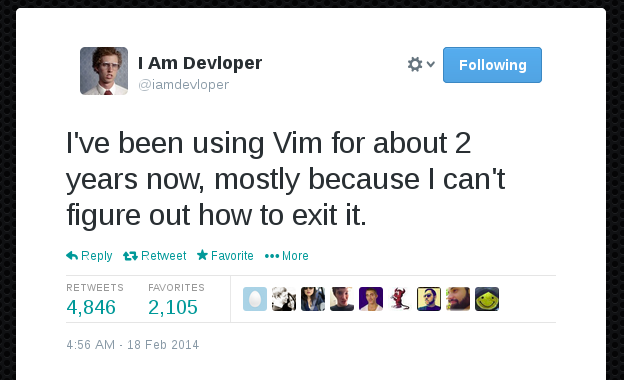
I’ve been using Vim for about 2 years, mostly because I can’t figure out how to exit it.

Comments

Related Articles

Programación

Recuperar una tabla de MySQL desde los ficheros .frm e .ibd

En primer lugar debemos conocer que para que exista el fichero .ibd debemos tener activado el sistema de almacenamiento Barracuda mediante la separación de ficheros por cada tabla de InnoDB, esto se hace con la opción “innodb_file_per_table=1” en el fichero “my.cnf” (/etc/mysql/my.cnf): [mysqld] innodb_file_per_table=1 También de forma dinámica mediante: SET GLOBAL innodb_file_per_table=1; En primer lugar […]

Posted by Juanmi Taboada
Programación

¿Cómo usar Codenerix GenList?

🇬🇧 Read it in English, “GenList“ Anteriormente hablábamos sobre CodenerixModel para entender como se construye un modelo funcional con CODENERIX. Sin embargo, para que todo funciocune en Django, además de los modelos también hay que definir las vistas. Para permitir visualizar los contenidos webs existen a disposición del programador un conjunto de vistas heredables, todas ellas basadas […]

Posted by Juanmi Taboada